AI Setup with the MCP Server
The node-auth MCP server gives any MCP-capable AI editor direct access to the library's documentation, interfaces, and code-generation tools. Instead of copying snippets from docs, you describe what you need in plain language and the AI scaffolds the full implementation.
Verified working editors: VS Code (GitHub Copilot) and Antigravity.
The MCP server is a hosted service — there is nothing to install locally. You only need to:
- Create an API key in your account area
- Paste the connection config into your editor
Step 1 — Create an API key
Open your Account page and go to the 🔑 API Keys tab.
Click + Generate Key, give the key a name (e.g. VS Code Token), select the mcp:read scope, and click Generate Key.
Copy the raw key immediately — it is shown only once.
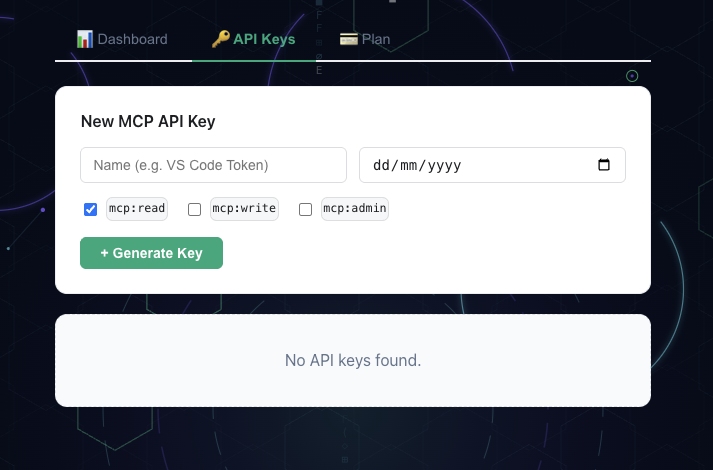
Account area — create and copy your MCP API key
Step 2 — Connect your editor
VS Code (GitHub Copilot)
Create .vscode/mcp.json in your project root (or open an existing one) and add:
{
  "servers": {
    "node-auth": {
      "type": "http",
      "url": "https://authmcp.ricordatiilatte.it/mcp",
      "headers": {
        "Authorization": "Bearer YOUR_API_KEY"
      }
    }
  }
}
Replace YOUR_API_KEY with the key you copied in Step 1.
Restart VS Code. Copilot Chat will now list node-auth as a connected MCP server.
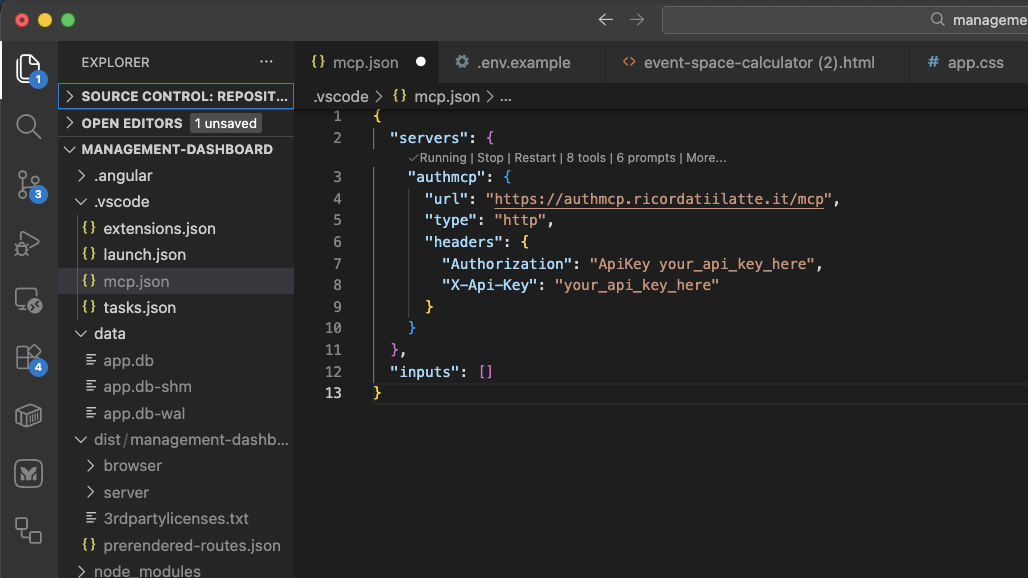
VS Code — node-auth MCP server connected and ready in Copilot Chat
Antigravity
In Antigravity open Settings → MCP Servers → Add server and fill in:
| Field | Value |
|---|---|
| Name | node-auth |
| URL | https://authmcp.ricordatiilatte.it/mcp |
| Auth header | Authorization: Bearer YOUR_API_KEY |
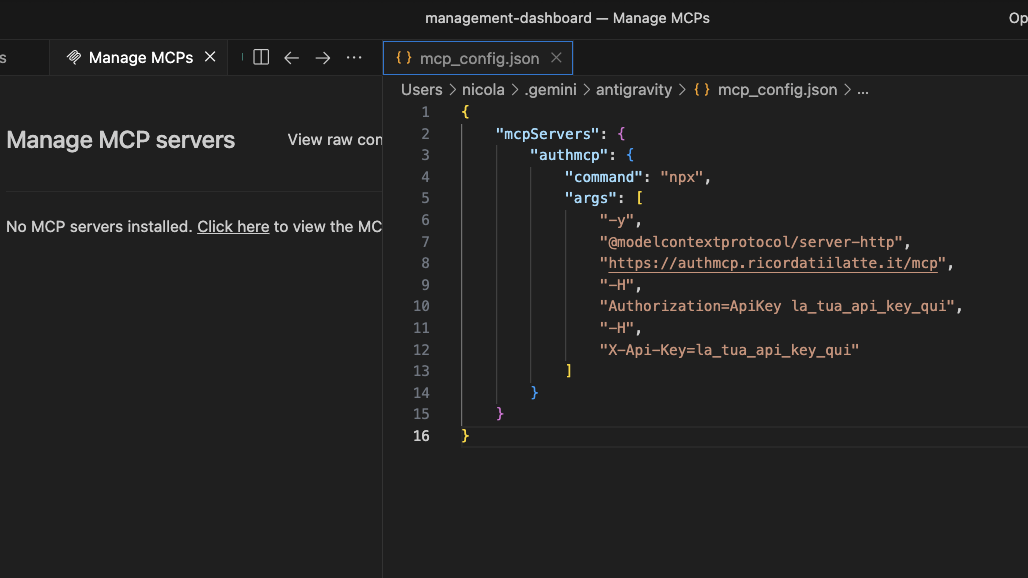
Antigravity — node-auth MCP server configured
What the AI can configure
Once connected, describe what you need and the AI scaffolds the complete implementation:
| Ask for… | What gets generated |
|---|---|
| "Add JWT auth with Google OAuth" | AuthConfigurator, router(), OAuth strategy config |
| "Add a MongoDB user store" | Full IUserStore implementation with Mongoose |
| "Set up role-based access control" | IRolesPermissionsStore, rbacMiddleware, admin panel wiring |
| "Enable real-time SSE notifications" | AuthEventBus, AuthTools, createToolsRouter with SSE |
| "Add inbound webhooks with vm sandbox" | @webhookAction decorators, ActionRegistry, sandbox config |
| "Create an admin dashboard" | createAdminRouter wiring with all optional stores |
| "Add 2FA with TOTP" | TotpStrategy, QR endpoint, verification flow |
Built-in AI assistant
Every page of this wiki has an AI Setup button (bottom-right corner). It opens a panel connected directly to the MCP server — ask questions and get code examples without leaving the docs.
Next steps
- Getting Started — install the library and run your first auth route
- Installation & Configuration — full configuration reference
- Advanced features — stores, admin panel, webhooks, SSE, and more